Check TM Balance Inquiry: Via SMS, Call, USSD, App
Whether you are making a call, sending a text, or streaming a video, running out of load at the wrong moment is always frustrating. That is why knowing how to perform a TM Balance Inquiry is one of the most important skills for any Touch Mobile subscriber in the Philippines. TM, which operates under Globe Telecom, is one of the most popular prepaid networks in the country, and it gives you multiple easy ways to stay on top of your remaining load, data, and active promos. In this complete guide, we will walk you through every method: SMS, phone call, USSD code, the GlobeOne App, and the SIM Toolkit — so you always know exactly where your balance stands.
All TM Balance Inquiry Methods at a Glance
Use this table to find the method that suits you best at a glance.
Method | Code / Number | Fee | Internet Needed? | Best For |
|---|---|---|---|---|
| SMS | BAL → 2888 | Small fee | No | Fast offline check |
| Call | Dial 222 | ₱1.00 | No | Hands-free check |
| USSD (*143#) | *143# → Balance Inquiry | Free | No | Free & detailed |
| USSD (*2888#) | Dial *2888# | Small fee | No | Quick alternative |
| GlobeOne App | App Dashboard | Free | Yes (Wi-Fi/data) | Full account management |
| SIM Toolkit | SIM Menu → Prepaid Svcs | Free | No | Older/basic phones |
Method 1: Check TM Balance via SMS
Sending a text message is one of the fastest and most accessible ways to check your load — it works on any phone, even old keypad models, and does not require mobile data or Wi-Fi.
Steps to Check Load Balance via SMS
- Open the Messages app on your phone.
- Type BAL in the message body.
- Send it to 2888.
- Wait a few seconds for a reply from TM showing your remaining load, active promos, and validity date.
Method 2: Check TM Balance via Phone Call
If you prefer a completely hands-free experience or simply do not want to type, calling the TM balance hotline is a quick and effective option.
Steps to Check Balance via Call
- Open your phone’s dial pad.
- Dial 222 and press the call button.
- Listen carefully to the automated voice instructions.
- Your remaining balance will be announced in a few seconds.
- End the call once you have noted your balance.
Detail | Information |
|---|---|
| Hotline Number | 222 |
| Cost | ₱1.00 per inquiry (deducted from load) |
| Internet Required | No |
| Availability | 24 hours, 7 days a week |
| Best Used When | Driving, hands busy, or SMS is unresponsive |
Method 3: Check TM Balance via USSD Code
The USSD method is the most widely recommended option for TM subscribers. It is completely free, works without any internet connection, and is available 24/7.
Using *143# (Primary USSD Code — Free)
- Open your phone’s dialer.
- Dial *143# and press the call button.
- A menu will appear on your screen — select My Account (the option number may vary).
- Choose Balance Inquiry from the next menu.
- Select Check My Prepaid Load Balance.
- You will receive an SMS from TM with your full balance details.
Using *2888# (Alternative USSD Code)
- Open your phone’s dialer.
- Dial *2888# and press the call button.
- Your balance details will be sent to you via SMS.
Method 4: Check TM Balance via the GlobeOne App
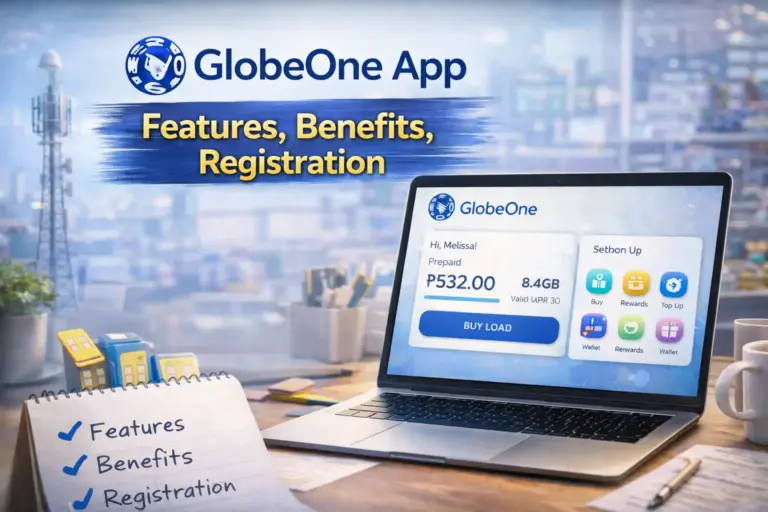
The GlobeOne App is TM’s most feature-rich balance inquiry option. It not only shows your remaining load and data, but gives you a complete picture of your account — including promo history, rewards points, and usage statistics.
How to Set Up and Use the GlobeOne App
- Download the GlobeOne App from the Google Play Store (Android), Apple App Store (iOS), or Huawei AppGallery.
- Open the app and tap Create New Account if you are a first-time user.
- Enter your TM mobile number and tap Continue.
- Enter the OTP (One-Time Password) sent to your number to verify.
- Set a 6-digit login password for your account.
- Once logged in, your load balance, data balance, and active promos are displayed right on the home dashboard.
What You Can Do on the GlobeOne App
- View your current load balance and data balance in real time
- Check active promos, their remaining data, and expiry dates
- Buy prepaid load or subscribe to new TM promos
- Monitor your call and text usage history
- Earn and redeem GlobeOne Rewards Points
- Replace your SIM or manage your account details
- Contact TM customer support through the app
Feature | GlobeOne App | SMS | USSD | Call |
|---|---|---|---|---|
| Load Balance | Yes | Yes | Yes | Yes |
| Data Balance | Yes | Yes | Yes | No |
| Promo Details | Yes (detailed) | Partial | Partial | No |
| Usage History | Yes | No | No | No |
| Buy Load / Promos | Yes | No | No | No |
| Internet Required | Yes | No | No | No |
| Cost | Free | Small fee | Free (*143#) | ₱1.00 |
Method 5: Check TM Balance via SIM Toolkit (TM/Globe SIM Menu)
The SIM Toolkit is a built-in app that comes pre-installed on most phones using a TM or Globe SIM card. It is an excellent option for users with older or basic phones who do not want to use a separate app.
Steps to Use the SIM Toolkit
- Open the SIM Toolkit or Globe/TM SIM Menu app on your phone (it usually appears in your app list automatically when a TM SIM is inserted).
- Navigate to Prepaid Services.
- Select Check Balance.
- Wait a few seconds to receive an SMS from TM with your current load, active promos, validity, and expiry date.
Load Balance vs. Data Balance vs. Promo Balance: What Is the Difference?
Many TM subscribers confuse these three types of balances. Understanding the difference helps you check the right balance at the right time.
Balance Type | What It Covers | How to Check |
|---|---|---|
| Load Balance | Used for standard calls, SMS, and non-promo services | BAL to 2888 / *143# / Dial 222 / GlobeOne App |
| Data Balance | Mobile internet (MB/GB) for browsing, social media, streaming | DATA BAL to 8080 / *143# → Data Balance / GlobeOne App |
| Promo Balance | Remaining data, calls, or texts inside an active promo | EZ INFO or SURF BAL to 8080 / GlobeOne App |
| Rewards Points | GlobeOne loyalty points earned from usage | *143# → Rewards / GlobeOne App |
How to Check TM Balance With Zero Load
Even if your load balance is at zero, you can still check it. Here is what works and what does not:
- *143# (USSD) — works in most cases even with zero balance
- SIM Toolkit — works without any load requirement
- GlobeOne App — works over Wi-Fi even with zero load
- SMS (BAL to 2888) — may not work if you have no load at all
- Calling 222 — requires ₱1.00 deduction; will NOT work with zero balance
How to Check TM Balance While Roaming Abroad
For OFWs or travelers using their TM SIM outside the Philippines, here is what you need to know:
- GlobeOne App over Wi-Fi — the safest and most cost-effective option when abroad
- SMS — may work depending on your roaming partner, but charges could apply
- USSD (*143#) — may not function on all foreign networks
- Calling 222 — international roaming charges will apply
Troubleshooting: TM Balance Not Showing or Incorrect
If you are having trouble checking your balance, use this quick troubleshooting guide:
| Problem | Possible Cause | Solution |
|---|---|---|
| No SMS reply after texting BAL | Poor signal or network delay | Restart your phone and resend; try in a better signal area |
| *143# menu not loading | Weak signal or network congestion | Move to an area with better TM coverage and try again |
| GlobeOne App not showing balance | Poor internet or outdated app | Check Wi-Fi/data, update the app, or clear cache and reinstall |
| Balance seems incorrect | Delayed update or system error | Wait 30 minutes and check again; call 808 if the issue persists |
| 222 call not connecting | Zero load or SIM issue | Use *143# or GlobeOne App instead; ensure SIM is active |
| SIM Toolkit not found | Phone incompatibility | Restart phone after inserting SIM; check app drawer |
For all other issues, contact TM Customer Support: Dial 808 (toll-free from TM number), 211 (toll-free from Globe number), or call (02) 7730-1000 from any landline.
Keeping track of your load and data has never been easier. Whether you prefer the speed of SMS, the hands-free convenience of a call, the no-cost reliability of USSD, or the full account management of the GlobeOne App, TM gives you a method that fits your situation perfectly. As a quick rule of thumb: use *143# for a free and fast check, BAL to 2888 when you need a quick SMS confirmation, and the GlobeOne App when you want to manage everything in one place. For older phones or zero-data situations, the SIM Toolkit is your best friend. Complete your TM Balance Inquiry regularly, enable low-balance alerts, and you will never be caught off guard again. Bookmark this page as your go-to reference anytime you need a quick reminder.