
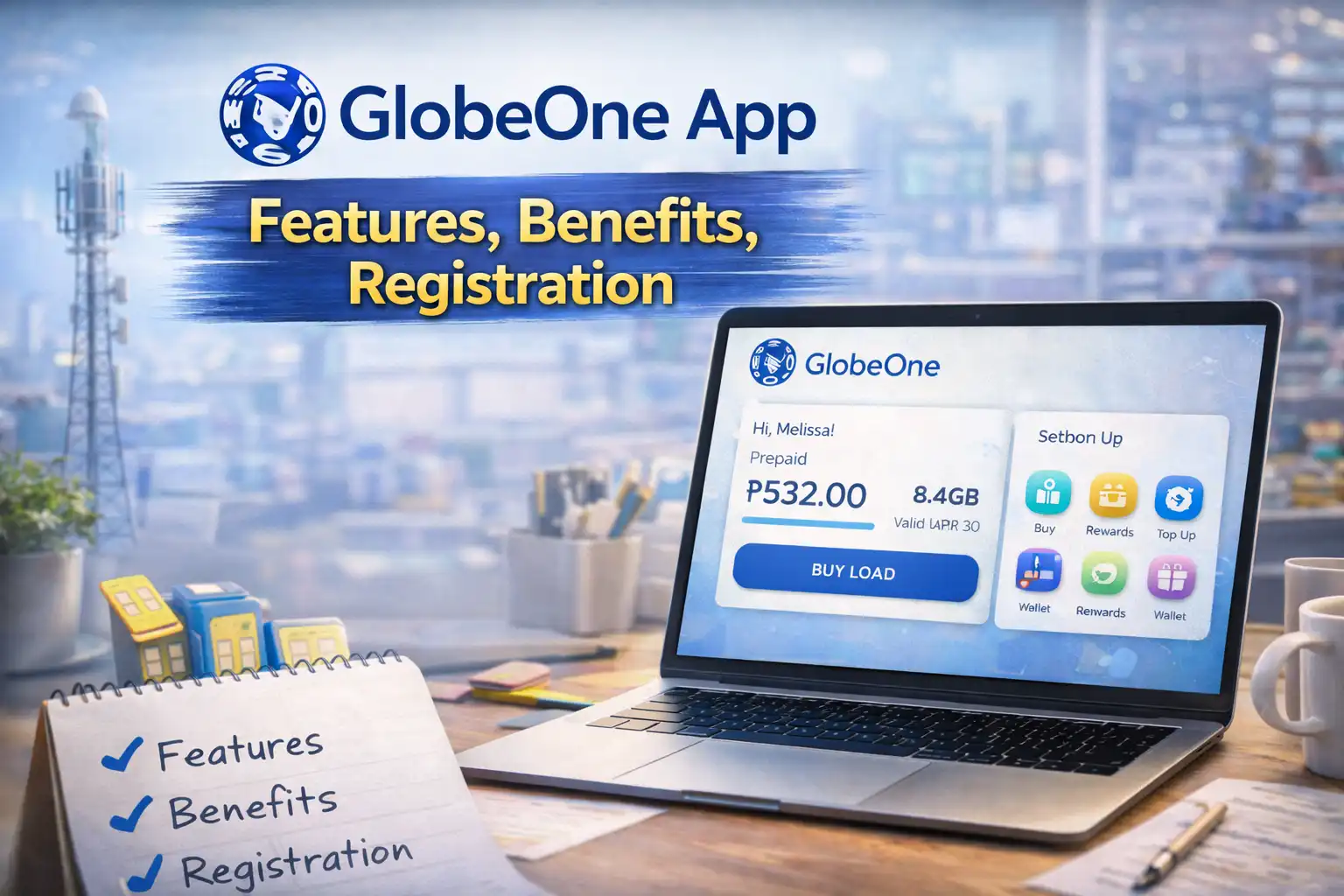
The GlobeOne app is the official all-in-one mobile app of Globe Telecom and TM — your fastest way to register your SIM, check your balance, subscribe to promos, pay bills, earn rewards, and manage your entire mobile account from one place. No queues, no dialing codes, no store visits needed. Everything is inside the app, available 24 hours a day, 7 days a week, fully updated for 2026.
Whether you are a first-time TM user or a long-time Globe subscriber, this complete guide walks you through every feature — from download to daily use — so you get the most out of the app starting today.
What Is the GlobeOne App in 2026?
GlobeOne is Globe Telecom’s official free super-app — one platform that replaced all older separate Globe and TM apps. In 2026, it has grown into a full digital services hub, going far beyond simple balance checks. It now handles SIM registration, promo subscriptions, digital payments, rewards, customer support, and even device management — all under one login.
It serves all Globe network subscribers including:
- TM (Touch Mobile) prepaid users
- Globe Prepaid users
- Globe Postpaid subscribers
- Globe at Home broadband customers
What the GlobeOne app does in 2026:
- Register your TM or Globe SIM (mandatory under RA 11934)
- Check load balance, data, calls, and texts remaining
- Subscribe to the latest 2026 TM and Globe promos in one tap
- Pay Globe postpaid and broadband bills
- Earn and redeem Globe Rewards points
- Manage multiple SIM cards under one account
- Access app-exclusive 2026 promos not available via text or dial
- Chat with live customer support agents
- Report network issues directly to Globe’s technical team
- Monitor your data usage in real time
How to Download the GlobeOne App in 2026
The app is free and available on Android and iOS. Always download from official stores only to avoid fake versions.
For Android:
- Open Google Play Store
- Search GlobeOne
- Select the official app by Globe Telecom — verified publisher badge
- Tap Install
- Direct link: play.google.com/store/apps/details?id=ph.com.globe.globeonesuperapp
For iPhone (iOS):
- Open App Store
- Search GlobeOne
- Tap Get next to the Globe Telecom app
- Authenticate with Face ID, Touch ID, or Apple ID
2026 device requirements:
- Android 10.0 or higher
- iOS 15.0 or higher
- Minimum 150MB free storage
- Active internet connection (mobile data or Wi-Fi)
✅ The app itself is completely free. No subscription fee. Data used while on the app counts against your regular data unless your promo includes free GlobeOne access under FunALIW.
How to Set Up GlobeOne for the First Time (2026)
First-time setup takes under 5 minutes. Here is every step:
Step 1 — Open the app Launch GlobeOne from your home screen.
Step 2 — Select your account type Choose TM Prepaid, Globe Prepaid, or Globe Postpaid. TM users select TM.
Step 3 — Enter your mobile number TM numbers in 2026 begin with: 0951, 0953, 0955, 0961, 0966, 0975, 0976, or 0977.
Step 4 — Verify via OTP An OTP arrives by SMS within 60 seconds. Enter it to verify your number. If it does not arrive, toggle airplane mode off and on and wait 2 more minutes before requesting a new code.
Step 5 — Create your profile Enter your name and email address. Your email is used for account recovery and e-receipts.
Step 6 — Enable notifications Allow push notifications so the app can alert you about promo expiry, exclusive deals, and balance updates in real time.
Step 7 — Dashboard loads You are in. Your balance, active promos, and available rewards display automatically on the home screen.
GlobeOne App Dashboard — What Everything Means in 2026
The 2026 GlobeOne dashboard has been redesigned for faster access. Here is what each element shows:
My Balance Your current load in Philippine pesos, updated in real time. Tap to see a breakdown of regular load, bonus credits, and any locked or reserved balance.
Active Promos All your currently running promos — data, calls, texts — displayed with exact remaining amounts and expiry countdowns. No more guessing or dialing codes.
My Rewards Your current Globe Rewards points total. Tap to browse available redemptions or check your points history.
Quick Actions Bar One-tap shortcuts: Subscribe to Promo, Load Up, Pay Bill, and Chat Support. Customizable in the 2026 update — drag to reorder based on what you use most.
2026 Exclusive Offers A rotating section of app-only promos updated weekly. These are not available via *143# or text — only inside the app. Worth checking every few days.
Data Usage Meter New in the 2026 update — a live data usage graph showing your consumption over the last 7 days. Helps you decide when to resubscribe before your promo runs out.
How to Register Your TM SIM via GlobeOne App (2026)
SIM registration remains mandatory in 2026 under the SIM Registration Act (RA 11934). The GlobeOne app is the smoothest way to complete it.
Step 1 — Open GlobeOne and tap Register Your SIM on the home screen
Step 2 — Enter your TM mobile number and tap Register SIM
Step 3 — Accept the privacy and cookie terms
Step 4 — Enter the OTP sent to your number
Step 5 — Tap Let’s Start and fill in your details:
- Full legal name (exactly as on your ID)
- Date of birth, gender
- Complete address with barangay, city, and postal code
Step 6 — Select your ID type, enter the ID number, and upload a clear photo:
- Format: JPG or PNG
- File size: under 2MB
- All four edges of the ID fully visible
- No glare, blur, or cut-offs
Step 7 — Take or upload a selfie for facial verification:
- Face camera directly
- Plain light-colored background
- No sunglasses, mask, hat, or filters
Step 8 — Review all details, accept Terms and Conditions, tap Submit
Your SIM activates immediately upon successful submission.
💡 For the full detailed guide including accepted IDs, special cases, and error fixes, visit our complete TM SIM Registration Guide.
How to Subscribe to TM Promos via GlobeOne in 2026
Subscribing to any TM promo takes under 30 seconds.
- Open GlobeOne and tap Promos from the bottom navigation bar
- Filter by category — Data, Calls, Combo, 5G, or Student
- Tap your preferred promo to see full details
- Tap Subscribe
- An SMS confirmation arrives within seconds
Your promo appears immediately under My Promos on the dashboard with a live countdown to expiry.
2026 tip: Check the Exclusive Offers section first before subscribing — app-only promos often give more data or longer validity at the same price as standard packages.
How to Check Balance and Remaining Data in 2026
Load balance: Opens automatically on the dashboard when you launch the app. Pull down to refresh.
Remaining data: Tap My Promos → select your active promo → view exact MB or GB remaining alongside your expiry date.
Real-time usage graph: Tap Data Usage on the dashboard for a 7-day consumption chart — new in the 2026 update.
Via text (backup method): Text BAL to 222 for a free SMS showing your balance and active promo summary.
How to Load Up via GlobeOne App in 2026
Buy e-load directly inside the app — no convenience store needed.
- Tap Load Up from the Quick Actions bar
- Enter the mobile number to load (your own or another person’s)
- Select a load amount or enter a custom amount
- Choose payment method: GCash, Maya, credit card, debit card, or online banking
- Confirm — load credits within seconds
In 2026, GlobeOne supports GCash and Maya as primary payment options, making cashless loading faster than ever.
How to Pay Your Globe Bill via GlobeOne in 2026
For Globe postpaid and broadband subscribers:
- Tap Pay Bill from the Quick Actions bar
- Your current bill amount and due date display automatically
- Select payment method — GCash, Maya, credit/debit card, or online banking
- Confirm payment
- Digital receipt sent to your registered email instantly
New in 2026: You can now set up automatic bill payment — the app charges your saved payment method on a date you choose, so you never miss a due date.
How to Earn and Redeem Globe Rewards in 2026
Every action on the GlobeOne app earns you rewards points. Points never expire as long as your account remains active.
Ways to earn points in 2026:
- Subscribe to any TM or Globe promo via the app
- Load up through the app
- Pay your postpaid or broadband bill through the app
- Complete in-app challenges (found under the Rewards tab)
- Refer a friend to GlobeOne using your referral code
How to redeem:
- Tap Rewards from the bottom navigation
- Browse available reward promos — sorted by points cost
- Tap your chosen reward and tap Redeem
- Reward activates on your SIM immediately
2026 rewards catalog highlights:
| Reward | What You Get | Points Needed |
|---|---|---|
| REWUNLICALL | Unlimited calls to TM — 1 day | 2 points |
| SURF100MB | 100MB data — 1 day | 2 points |
| REWCOMBO4 | Unlimited calls and texts to TM — 1 day | 4 points |
| REWTXT | Unlimited all-network texts + 100MB — 1 day | 4 points |
| REWCOMBO10 | Unlimited calls + all-network texts + 100MB — 1 day | 6 points |
| SURF500MB | 500MB data — 1 day | 10 points |
| SURF1GB | 1GB data — 1 day | 10 points |
GlobeOne App Features Most Users Miss in 2026
Multiple SIM Management Add up to 5 Globe or TM numbers under one GlobeOne account. Switch between them from the dashboard with one tap — perfect for users with two phones or families sharing one account manager.
Auto-Renewal Set your favorite promo to auto-renew on expiry — the app resubscribes automatically using your load balance. Set it up under My Promos → select promo → toggle Auto-Renew On.
App-Exclusive 2026 Promos The best deals in 2026 are app-only. Globe regularly releases promos with bonus data or extended validity exclusively for GlobeOne users. These never appear on *143# or via text.
Bill Reminders Postpaid users can set push notification reminders 3, 5, or 7 days before their bill due date. Set up under My Account → Notifications → Bill Reminders.
Network Issue Reporting If your signal is weak or data is not working, report it directly inside the app. Globe’s technical team receives it immediately and can push a fix remotely in many cases. Go to Help → Report a Problem.
GlobeOne Referral Program In 2026, GlobeOne has an active referral program — share your unique referral code with a friend. When they sign up and subscribe to their first promo, both of you earn bonus reward points.
How to Contact Globe Support via GlobeOne in 2026
Live Chat (Fastest) Tap the Help icon → tap Chat with Us → an agent connects within minutes. Available 24/7 in 2026.
AI-Powered Chat Assistant New in 2026 — GlobeOne’s built-in AI assistant handles common questions instantly without waiting for a human agent. Access it the same way as live chat. It resolves most balance, promo, and registration questions in under 60 seconds.
Call Support from the App Tap Help → Call Us → the app dials support automatically.
- TM hotline: 8080 (free from TM SIM)
- Landline: (02) 7730-1500
Report a Problem Tap Help → Report a Problem → select issue type and submit. Useful for reporting network outages, billing errors, and SIM issues.
Common GlobeOne App Problems and Fixes in 2026
App Crashes or Will Not Open
Update to the latest 2026 version first — outdated versions cause most crashes. Then clear the app cache (Settings → Apps → GlobeOne → Storage → Clear Cache) and relaunch.
OTP Not Arriving
Check your signal strength. Toggle airplane mode off and on. Wait 3 full minutes before requesting a new OTP. If still nothing, call 8080 from your TM SIM for manual verification.
Cannot Log In
Use Forgot Password on the login screen to reset via SMS or email. If you have lost access to both your number and email, visit any Globe Store with a valid government ID for account recovery.
Balance Showing Wrong Amount
Pull down on the dashboard to force a refresh. If still incorrect, log out completely, close the app, wait 1 minute, and log back in. Balance syncs from Globe’s servers and occasionally lags by a few minutes after a transaction.
Promo Subscription Failed
Confirm your load balance covers the promo cost. Switch from Wi-Fi to mobile data and try again — some users find the app performs better on mobile data during peak hours. If the issue continues, subscribe via text to 8080 as a backup.
ID Upload Failing During SIM Registration
Ensure the photo is JPG or PNG, under 2MB, and shows all four edges of the ID clearly. Retake the photo outdoors in natural daylight. Avoid flash photography — it creates glare that the verification system rejects.
Selfie Verification Rejected
Remove all face coverings, glasses, and hats. Use a plain white or light-colored wall as background. Make sure your face fully fills the frame as indicated by the on-screen guide. The 2026 version uses upgraded facial recognition — beauty modes and filtered photos will be detected and rejected automatically.
Frequently Asked Questions
Is the GlobeOne app free in 2026?
Yes. The app is completely free to download and use. Standard data charges apply when browsing the app on mobile data, but most active TM promos include free access to GlobeOne under FunALIW data — meaning you can use the app without consuming your regular data.
Can TM prepaid users use GlobeOne?
Yes. GlobeOne fully supports TM prepaid SIM cards. Select TM when setting up the app for the first time.
Do I need the GlobeOne app to register my TM SIM?
No. SIM registration can also be done via the online portal at simreg.globe.com.ph or in person at any Globe Store. The GlobeOne app is simply the most convenient option for smartphone users.
Can I manage multiple SIM cards on one account?
Yes. Up to 5 Globe or TM numbers can be added under a single GlobeOne account in 2026.
Does the GlobeOne app work without internet?
No. An active internet connection is required for all app functions.
How do I stop a promo from auto-renewing?
Go to My Promos → select the active promo → tap Stop Auto-Renewal. Or text STOP [KEYWORD] to 8080.
What is new in GlobeOne in 2026?
Key 2026 updates include a redesigned dashboard with a live data usage meter, an AI-powered support assistant, GCash and Maya as primary payment options, an active referral rewards program, and customizable Quick Actions shortcuts.
References and Helpful Links
| Resource | Link |
|---|---|
| GlobeOne App — Google Play Store | Download for Android |
| TM Official Website | tmtambayan.ph |
| TM SIM Registration Guide | tmsimregistration.ph |
| TM Promo 2026 Complete List | Tm Promos |
| Globe Customer Support | globe.com.ph/contact-us |
| DICT SIM Registration Advisory | dict.gov.ph |
