
Just bought a new TM SIM and forgot the number? Not sure how much load you have left? Want to confirm your SIM is properly registered? You are in the right place. This complete 2026 guide covers every official method to check your TM number, load balance, data balance, promo status, and SIM registration status — all in under 2 minutes, completely free.
No app download required for most methods. Just your TM SIM and a few seconds.
How to Check Your TM Number (5 Methods)
Forgetting your own TM number is more common than you think — especially with a brand new SIM. Here are all five official ways to find it instantly.
Method 1 — Dial *2# (Fastest)
This is the quickest way to check your TM number. No load required.
- Open your phone dialer
- Dial *2# and press call
- Your TM number appears on screen within seconds
✅ This works even with zero load balance. It is completely free.
Method 2 — Dial *143#
- Open your phone dialer
- Dial *143# and press call
- A menu appears — select My Account
- Select My Number
- Your TM mobile number displays on screen
Method 3 — Text to 8080
- Open your messaging app
- Create a new SMS and type NUMBER
- Send it to 8080
- You will receive a free SMS reply showing your TM number
Method 4 — GlobeOne App
- Open the GlobeOne app
- Log in to your account
- Your TM number appears at the top of the dashboard automatically
- Tap your number to copy it
Method 5 — Check the SIM Card Packaging
If you still have the original packaging your TM SIM came in, your number is printed on the back of the SIM card tray or on the product card inside the box. This works even before the SIM is activated.
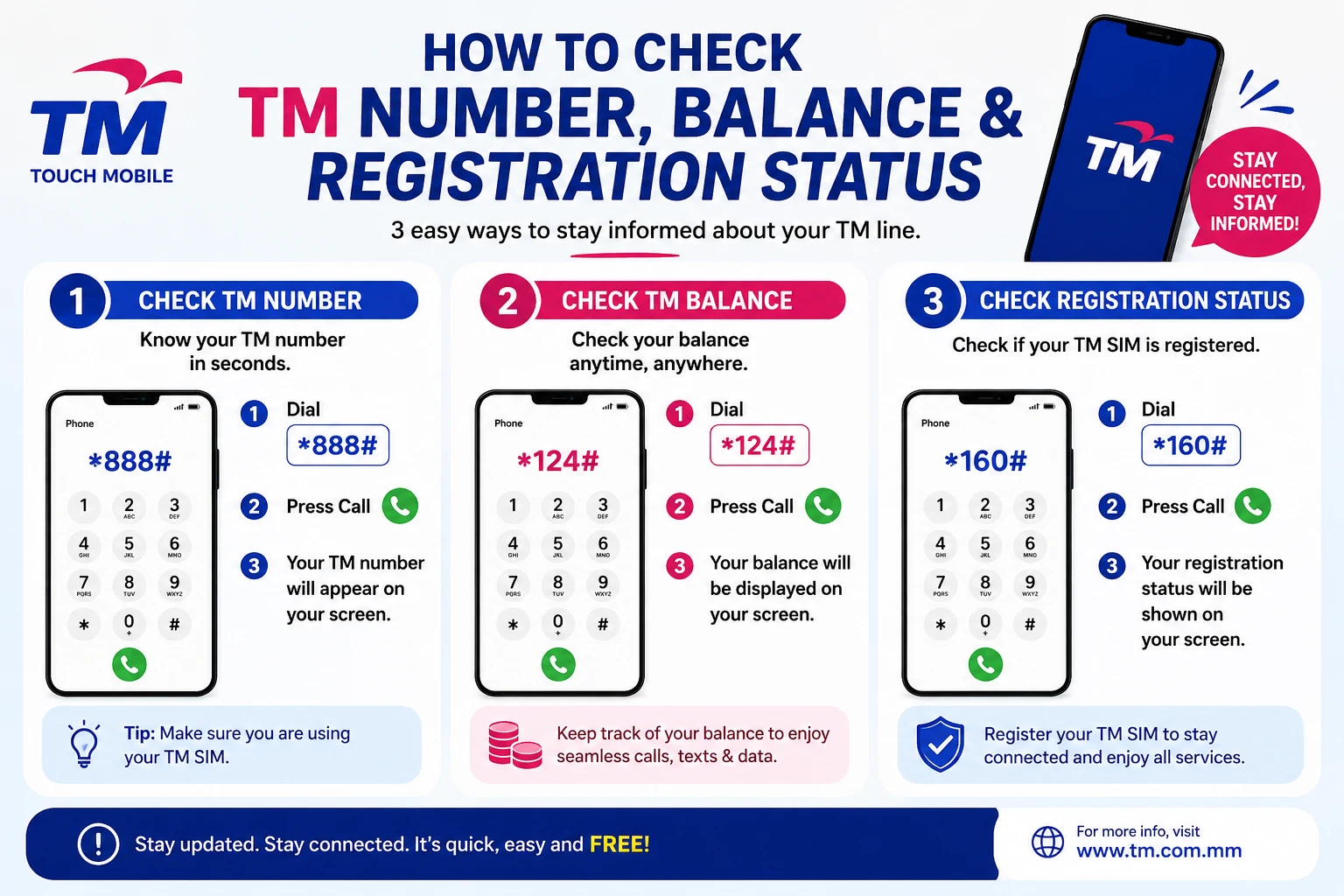
How to Check Your TM Load Balance (4 Methods)
Always know exactly how much load you have before subscribing to a promo or making a call.
Method 1 — Dial *143# (Most Reliable)
- Dial *143# on your phone
- Select My Account
- Select Check Balance
- Your current load balance displays in Philippine pesos
Method 2 — Text BAL to 222
- Open your messaging app
- Type BAL and send to 222
- You receive a free SMS showing your exact load balance
✅ Free to send. Works even on very low load.
Method 3 — GlobeOne App
- Open the GlobeOne app
- Your balance appears instantly on the home dashboard in large text
- Pull down to refresh if the amount looks outdated
- Tap the balance to see a full breakdown of regular load and bonus credits
Method 4 — Dial *143*0#
- Dial *143*0# directly from your dialer
- Your balance information pops up as a flash message on screen
- No menu navigation required — fastest balance check via dial
How to Check Your TM Data Balance (Remaining Internet)
Running out of data mid-stream is frustrating. Check your remaining data before it happens.
Method 1 — GlobeOne App (Most Detailed)
- Open the GlobeOne app
- Tap My Promos on the dashboard
- Select your active data promo
- View exact remaining data in MB or GB along with your expiry date and time
The 2026 GlobeOne update also shows a 7-day usage graph so you can see your daily consumption pattern and predict when you will run out.
Method 2 — Dial *143#
- Dial *143#
- Select My Account
- Select Check Balance and Promos
- Your remaining data and promo details display on screen
Method 3 — Text DATABAL to 8080
- Type DATABAL and send to 8080
- A free SMS reply shows your remaining data, active promo name, and expiry date
Method 4 — Check Phone Settings (Android)
- Go to Settings on your Android phone
- Tap Network & Internet or Connections
- Tap Data Usage
- View how much mobile data your phone has consumed
- This shows device usage, not your promo allocation — use it alongside Method 1 for a full picture
How to Check Your TM Promo Status
Want to know which promo is currently active and when it expires?
Method 1 — Text STATUS to 8080
- Type STATUS and send to 8080
- Receive a free SMS listing all your active promos with expiry dates
Method 2 — GlobeOne App
- Open GlobeOne
- Your active promos appear directly on the home dashboard with countdown timers
- Tap any promo for full details including remaining data, calls, texts, and exact expiry time
Method 3 — Dial *143#
- Dial *143#
- Select My Promos or My Account
- Select Check Active Promos
- All running promos and their remaining validity display on screen
How to Check TM SIM Registration Status
Under the SIM Registration Act (RA 11934), all TM SIM cards must be registered. If your SIM is unregistered it will be deactivated and you will lose all calls, texts, data, and load balance. Checking your registration status takes 10 seconds.
Method 1 — Text SIMREG to 8080 (Fastest)
- Open your messaging app
- Type SIMREG and send to 8080
- You receive a free SMS reply immediately
What the reply means:
| Reply | What It Means | What to Do |
|---|---|---|
| “Your SIM is registered” | ✅ You are fully registered and active | Nothing — you are good |
| “Your SIM is not yet registered” | ❌ Registration not complete | Register now at simreg.globe.com.ph |
| “Your SIM is pending verification” | ⏳ Registration submitted but processing | Wait 24–48 hours then check again |
| “Your SIM has been deactivated” | 🚫 SIM deactivated due to non-registration | Visit a Globe Store with valid ID |
Method 2 — GlobeOne App
- Open the GlobeOne app
- Tap My Account → SIM Registration Status
- Your registration status displays with a green checkmark (registered) or a red alert (unregistered)
Method 3 — Online Portal
- Visit simreg.globe.com.ph on any device
- Enter your TM mobile number
- Your registration status and verification date appear on screen
Method 4 — Call TM Support
If you cannot determine your status via text or app, call TM customer support directly:
- Dial 8080 from your TM SIM (free)
- Landline: (02) 7730-1500
Give the agent your TM number and they will confirm your registration status immediately.
How to Check TM Number Validity / Expiry
TM prepaid SIM cards have a validity period. If no load or promo is added within the validity window, the number can be deactivated and eventually recycled.
Check via *143#
- Dial *143#
- Select My Account
- Select SIM Validity or Account Details
- Your SIM expiry date displays on screen
Keep Your Number Active in 2026
To prevent your TM number from expiring, do any of the following at least once within the validity period:
- Load any amount of prepaid credit
- Subscribe to any promo
- Make a call or send a text
- Use mobile data
💡 Even loading ₱1 resets the validity clock on most TM prepaid accounts. Regular GlobeOne app activity also counts toward keeping the account active in 2026.
How to Check TM Rewards Points Balance
If you use the GlobeOne app regularly, you earn rewards points with every promo subscription and load purchase.
Check via GlobeOne App
- Open GlobeOne
- Tap Rewards from the bottom navigation bar
- Your current points balance displays at the top of the screen
- Scroll down to see available rewards you can redeem with your current balance
Check via *143#
- Dial *143#
- Select Rewards
- Your current points total displays on screen
Complete Quick Reference — All TM Check Codes
Bookmark this section. It covers every check command in one place:
| What to Check | Method | Code / Action |
|---|---|---|
| Your TM number | Dial | *2# |
| Your TM number | Text | TEXT “NUMBER” TO 8080 |
| Load balance | Dial | *143# → My Account → Balance |
| Load balance | Text | TEXT “BAL” TO 222 |
| Load balance (quick) | Dial | *143*0# |
| Data remaining | Text | TEXT “DATABAL” TO 8080 |
| Active promos | Text | TEXT “STATUS” TO 8080 |
| Active promos | Dial | *143# → My Promos |
| SIM registration status | Text | TEXT “SIMREG” TO 8080 |
| SIM registration status | Online | simreg.globe.com.ph |
| SIM validity / expiry | Dial | *143# → My Account |
| Rewards points | Dial | *143# → Rewards |
| All of the above | App | GlobeOne app dashboard |
What to Do If Your TM SIM Is Not Registered in 2026
If your status check shows your SIM is unregistered, act immediately. Unregistered SIMs in the Philippines face permanent deactivation under RA 11934.
Option 1 — Register Online (Fastest)
- Visit simreg.globe.com.ph on any device
- Enter your TM number and follow the step-by-step process
- Prepare: valid government ID, selfie, and your personal details
- Takes 5–10 minutes
Option 2 — Register via GlobeOne App
- Open GlobeOne
- Tap Register Your SIM on the home screen
- Follow the guided registration steps
Option 3 — Visit a Globe Store
- Bring your TM SIM and a valid government ID to any Globe or TM Store. Staff will complete the registration for you in 15–30 minutes.
What to Do If Your TM SIM Was Deactivated
If your SIM was deactivated due to non-registration or extended inactivity, here is what to do in 2026:
- Visit a Globe Store with your valid government ID
- Explain that your TM SIM was deactivated
- Ask about SIM reactivation or SIM replacement
- If the number is recoverable, staff will link it to your verified ID and reactivate it
- If the number has been recycled, you will need a new SIM and a new registration
⚠️ Load balance on a deactivated SIM may not be recoverable. Act quickly — the sooner you visit a store after deactivation, the better the chances of saving your number.
Common Questions
Is checking my TM number or balance free?
Yes. All check codes listed in this guide — *2#, *143#, texting BAL to 222, texting SIMREG to 8080 — are completely free. No load is deducted.
Why is my TM balance showing zero when I just loaded?
Load sometimes takes 1–5 minutes to reflect after a transaction. Pull down to refresh on the GlobeOne app or wait a few minutes and check again via *143#. If the balance still does not appear after 10 minutes, call 8080.
Can I check my TM number without a signal?
No. You need at least a basic network signal to use any dial or text method. If you have no signal at all, check the SIM card packaging or the GlobeOne app via Wi-Fi instead.
What if *2# does not work on my phone?
Some phone models do not support flash USSD codes like *2#. Use *143# → My Account → My Number instead, or open the GlobeOne app to see your number on the dashboard.
How do I know if my promo data is all used up?
Text DATABAL to 8080 for an instant reply. If the reply shows 0MB remaining or says no active data promo, subscribe to a new promo immediately to avoid pay-per-use charges on your load balance.
My SIM registration status says pending — is my SIM working?
Yes. A pending status means your registration was submitted and is being processed by Globe. Your SIM remains active during this period. The process typically takes 24–48 hours. Check again after that window using SIMREG to 8080.
How long does a TM number stay active without use in 2026?
TM prepaid SIM validity varies by the last transaction type and load amount. As a general rule, loading or using your SIM at least once every 60–90 days keeps the number active. Check your exact validity via *143# → My Account.
References and Helpful Links
| Resource | Link |
|---|---|
| TM Official Website | tmtambayan.ph |
| GlobeOne App — Google Play Store | Download for Android |
| TM SIM Registration Portal | simreg.globe.com.ph |
| TM SIM Registration — Complete Guide | [tmsimregistration.ph] |
| GlobeOne App Complete Guide 2026 | GlobeOne App |
| TM Promo 2026 Complete List | TM Promo |
| SIM Registration Act RA 11934 | Wikipedia |
| TM Customer Support Hotline | 8080 (free from TM SIM) |
